



Key Takeaways
- What is reverse video search: a technique that uses frames or screenshots from a video as search inputs to find its original source, similar content, or unauthorised copies across the web
- How to do reverse video search requires extracting a clear, distinctive still frame and submitting it to image-based search tools like Google Lens, Yandex, or TinEye
- Google Lens now supports native video search in Chrome via right-click, and on mobile through direct video capture with Gemini-powered AI analysis
- Reverse video search tools each index different parts of the web, so using multiple tools in sequence consistently delivers better results than relying on any single platform
Introduction
In a digital environment flooded with AI-generated, repurposed, and out-of-context video content, knowing what is reverse video search is no longer a niche technical skill. It is a practical capability for content creators protecting intellectual property, journalists fact-checking viral clips, and marketers analysing how competitors’ video content circulates online. This guide explains how it works, walks through the step-by-step process of how to do reverse video search, covers the best tools available in 2026, and addresses the key limitations to know before you begin.
What Is Reverse Video Search?
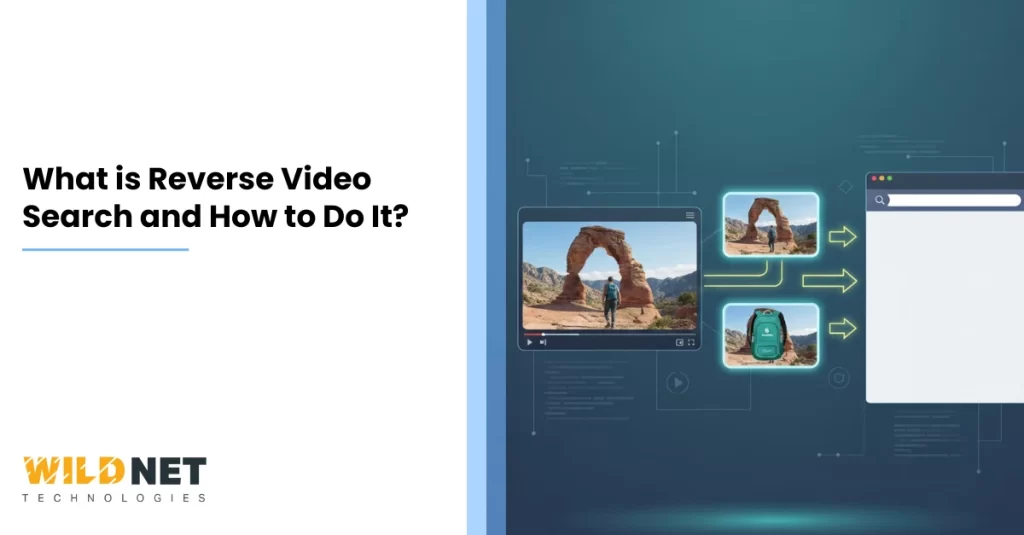
Reverse video search is the process of using a video, or still frames extracted from it, as a search query rather than typed keywords. Instead of searching “traditional dance costume India” and hoping to find the right clip, you take a screenshot from the video itself and submit that image to visual search tools, which then compare pixel data, colour composition, objects, and facial features against their indexed databases to surface matching or related results.
The process reveals where a video originated, whether it has been used without permission, whether a higher-quality or full version exists elsewhere, and whether the clip has been edited or taken out of context, all of which matters for copyright enforcement, fact-checking, and content strategy.
How Reverse Video Search Works
Most search engines are built to process images, not raw video files. Reverse video search bridges that gap through three technical stages:
- Frame extraction: A distinctive still frame is pulled from the video, either manually via screenshot or automatically by a dedicated tool that breaks videos into unique frame hashes
- Visual matching: The frame image is analysed for shapes, colours, objects, text overlays, and facial features and compared against the tool’s indexed image and video thumbnail database
- Result ranking: Pages containing visually similar or identical images are returned, ranked by match confidence, allowing the searcher to trace the original upload source, date, and context
The critical constraint is database coverage: if a video is newly uploaded, heavily edited, or hosted on private or paywalled platforms, no tool can return a match regardless of how good the frame quality is.
How to Do Reverse Video Search: Step-by-Step
Step 1: Select a Distinctive Frame
Pause the video at a moment that contains something visually unique: a recognisable landmark, on-screen text, logo, face, or costume detail. Avoid generic frames showing only sky, crowd blur, or plain backgrounds. If you are unsure, pick three to four frames from different moments in the video to improve coverage.
Step 2: Capture the Screenshot
On desktop, pause and use your system’s screenshot tool or the browser’s native capture. On mobile, use the screen capture function. Aim for the sharpest possible image with minimal blur. The clearer the frame, the higher the likelihood of a match.
Step 3: Submit to Reverse Video Search Tools
Upload the frame to one or more of the following tools:
| Tool | Best For | 2026 Notable Feature |
| Google Lens | Fast everyday identification | Right-click in Chrome to search directly from a playing video |
| Yandex Images | Non-Western content, faces, locations | Superior facial and geographic recognition |
| TinEye | Finding exact originals and oldest upload date | “Sort by Oldest” match engine across 61.9 billion images |
| Bing Visual Search | Objects, products, commercial content | E-commerce and MSRP matching integration |
| Berify | Copyright monitoring at scale | Multi-engine automated IP monitoring |
| InVID / Gemini | AI-generated content verification | Detects SynthID and C2PA credentials for deepfake detection |
Step 4: Analyse and Cross-Reference Results
Review whether results match the same video, a related clip, or only visually similar unrelated content. Click through to source pages and check upload date, uploader identity, and context. If the first frame yields nothing, return to Step 1 and try a different frame.
Step 5: Use Video URLs and Metadata When Available
If you have the URL of the video from YouTube or a social platform, cross-check metadata such as upload date, channel name, and description to verify authenticity independently of the visual search result.
Google Lens Video Search in 2026
Google Lens has moved significantly beyond still-image search in 2026. On desktop, right-clicking a video playing in Chrome surfaces a “Search Image with Google Lens” option that analyses the current frame instantly using Google’s AI, often returning the original YouTube or social media source within seconds. On mobile, opening Google Lens and holding the shutter button captures live video, and users can simultaneously ask a spoken question about what appears on screen, with Gemini analysing both the video content and the query together. YouTube has also integrated Google Lens into Shorts, allowing viewers to identify objects, landmarks, and products directly from within a playing video. These developments make Google Lens the fastest first step in how to do reverse video search for most everyday use cases.
Reverse Video Search Tools: When to Use Which
Not all tools produce the same results because each indexes different portions of the web. A practical approach to how to do reverse video search is to sequence tools by use case:
- Start with Google Lens for fast, broad coverage and AI-powered object recognition
- Switch to Yandex if Google returns no results, particularly for content originating outside Western markets or involving facial recognition
- Use TinEye when you need to confirm which source published a video first, since its “Sort by Oldest” filter is unique among reverse image search for video tools
- Use Berify or InVID for ongoing intellectual property monitoring or deepfake verification, where professional-grade forensic analysis is required
Limitations of Reverse Video Search
Understanding where the process fails prevents false conclusions:
- New or unindexed content: Videos uploaded within hours or days may not yet be in any search engine’s index, returning no results
- Heavy editing: Cropping, colour grading, filters, watermarks, and frame removal all reduce the visual match score significantly
- Low-resolution frames: Blurry or low-quality screenshots produce unreliable matches and high false-positive rates
- Private sources: Content behind paywalls, set to private on social platforms, or hosted on regional networks not indexed by major search engines will not surface in results
- Generic frames: A frame showing only a crowd, sky, or plain interior shares visual features with thousands of unrelated images, making meaningful matches unlikely
Practical Use Cases for Marketers and Creators
For digital marketing professionals, reverse video search tools serve several strategic purposes:
- Content protection: Identify where branded video content has been republished without authorisation and take action before it dilutes brand equity
- Competitive analysis: Discover how competitor video assets are being used, repurposed, and distributed across platforms to inform your own content strategy
- Fact-checking before amplification: Verify the original source and context of a video before using it in a campaign to avoid associating a brand with misleading or out-of-context content
- SEO content research: Analyse which video frames, thumbnails, and visual treatments surface most prominently in visual search to optimise your own video metadata and thumbnail design
Conclusion
What is reverse video search in 2026: it is the ability to use any video frame as a search query to discover origin, ownership, authenticity, and distribution across the web. How to do reverse video search comes down to four actions: extract a clear distinctive frame, submit it to Google Lens first, escalate to Yandex or TinEye if needed, and cross-reference metadata to confirm what you find.
Over 20 years, Wildnet Technologies has grown from a digital marketing firm into a full-stack, AI-native growth partner with 350+ in-house experts, 2,100+ projects delivered globally, and a track record of turning brands into market leaders. We don’t just run campaigns; we build digital ecosystems.
Ready to grow? Here’s how we can help:
SEO Services: We go beyond rankings. Our SEO strategies combine technical precision, AI-driven insights, and content authority to put your brand in front of the right audience at the right moment consistently.
Digital Marketing Services: From awareness to conversion, we build full-funnel digital strategies tailored to your industry, audience, and growth stage so every rupee you spend works harder.
PPC Services: Our AI-infused PPC services have helped 4,100+ clients generate a 4X Return on Ad Spend across USD 43 million+ in media spend. We don’t just set up campaigns; we engineer performance engines.
Great digital marketing doesn’t cost you money — it makes you money.
FAQs
1. What is reverse video search?
It is the process of using a video or still frames extracted from it as search inputs to find where that video originated, whether it has been used without permission, or whether similar content exists elsewhere online.
2. Do I always need a screenshot, or can I upload a full video?
Most tools require a still frame. Google Lens on mobile now supports short live video capture, and dedicated tools like reversevideosearch.io automatically break videos into unique frames for comparison, but frame-based image search remains the most reliable method in 2026.
3. Which reverse video search tools work best in 2026?
Google Lens for fast everyday identification, Yandex for non-Western and facial recognition, TinEye for finding the oldest original source, and InVID or Berify for professional copyright monitoring and deepfake detection.
4. Why might reverse video search return no results?
Common reasons include the video being too new to be indexed, heavy editing that alters visual features, low-resolution frames, or the original content being hosted on private or paywalled platforms not indexed by public search engines.
5. Is reverse video search legal?
Searching for a video’s origin is entirely legal. However, downloading and republishing someone else’s video without permission may infringe copyright.
Read More
- What’s a Good CTR on YouTube? Complete Guide for Creators & Marketers
- How To Write Seo-Friendly Youtube Video Descriptions?
- How To Increase Subscribers On Youtube?
- How To Rank YouTube Videos?
